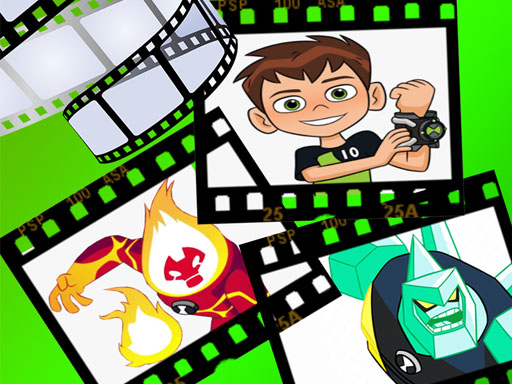
Ben 10 Create Scene
Game Overview
Play Ben 10 Create Scene: A Stage Waiting for Stars!
Are you ready to trade the television remote for full creative control and build your own Ben 10 universe? Ben 10 Create Scene drops you right into the heart of the Osmosis Labs action, transforming you from a viewer into the director of your very own show.
Fans of the legendary alien franchise often dream of stepping inside the cartoon to change the outcome of battles, and Ben 10 Create Scene delivers precisely that fantasy. While millions tune in simply to watch Ben Tennyson protect Earth, this title invites you to curate the spectacle yourself. It transforms passive viewing into active creation, allowing players to construct unique narrative moments featuring their favorite aliens and villains alike within a vibrant, browser-based world.
What's the Core Gameplay?
In Ben 10 Create Scene, your main goal is to orchestrate dynamic scenes using simple, intuitive touch controls. You will spend your time tapping to select animated characters from a menu, then dragging and dropping them onto your digital stage. The gameplay loop focuses on spatial arrangement and timing; position your heroes and monsters carefully, trigger specific animations, and arrange them into the perfect composition to tell a short story. Whether you are staging an epic confrontation or a quiet family moment, every placement shapes the video you create.
Key Features
- Intuitive Drag-and-Drop Interface: Easily place characters exactly where you want them on the screen.
- Extensive Character Library: Access a wide range of beloved Ben 10 monsters and heroes.
- Animated Interactions: Select distinct animations to bring static poses to life.
- Browser-Based Accessibility: Play instantly on HTML5 devices without downloads.
Why You'll Love It
This is the ultimate sandbox for aspiring storytellers and young fans who want more than passive entertainment. It bridges the gap between gaming and art, offering a relaxing yet engaging environment where imagination is the only limit. Perfect for a quick creative break, it rewards patience and design sense without the stress of competitive scoring or complex tutorials.
Grab your mouse or tap to the screen, and start directing your masterpiece in Ben 10 Create Scene today!
How to Play
How to Play Ben 10 Create Scene: Your Complete First-Time Guide
Welcome to the creative side of the Ben 10 universe! We know picking up a new game can sometimes feel tricky, but building your own story here is designed to be intuitive and fun. Whether you are dragging characters onto the stage or setting the scene, every action is simple and rewarding. Follow this guide to master your first scene in just a few minutes and let your imagination take the lead.
1. Your Mission: The Objective
Your primary goal is to construct a dynamic scene by selecting character animations and placing them accurately into the environment to create a mini-story. Success is measured by how creatively you combine available assets to bring your unique Ben 10 narrative to life without needing complex combat skills.
2. Taking Command: The Controls
To help you get started, we have outlined the essential touch and mouse interactions you will use. Since gameplay involves placement and creation, these actions differ slightly from standard fighting games.
Disclaimer: These are the standard controls for this type of game on mobile. The actual controls may be slightly different.
| Action / Purpose | Key(s) / Gesture |
|---|---|
| Asset Selection | Tap the Animation Slot at the Top |
| Primary Action (e.g., Move/Place) | Drag and Drop to the Scene |
| Interaction (e.g., Play Sound) | Tap the Placed Character on Stage |
3. Reading the Battlefield: Your Screen (HUD)
Even in a creative mode, knowing what you see on your screen is crucial for managing your story effectively. Pay attention to these three visual elements to ensure your scene functions correctly.
- Action Bar (Top): This area contains the animations and characters you can choose. Always start here before moving anything, as this is where your tools live.
- Stage View (Center): This is your active canvas. Everything you drag here is part of your story. Notice that items snap into position to keep your layout neat.
- Play Button (Bottom Corner): Located where you expect it, this lets you press "Go" once you are done arranging. It runs the animation loop so you can watch your created scene come alive.
4. The Rules of the World: Core Mechanics
Understanding how the game world interacts with your inputs will prevent frustration and improve your results. Here are the basic cause-and-effect rules governing your scene creation.
- Item Limits: "You can have multiple characters on stage, but only a few interact simultaneously. If you try to add too many items, the oldest ones may fade out to save memory!"
- Animation Timing: "Tapping a character after placing it triggers their specific sound or move. Try tapping them quickly in a row to create a fast-paced fight scene sequence."
- Layering System: "Items placed later cover items placed earlier. If you want something behind a character, place the background element after you remove the character to reorder them easily."
Tips & Strategies
Mastering Ben 10 Create Scene: An Advanced Strategy Guide
This guide is not for casual dabblers in cartoon creation. This is for the elite operators who view the canvas not as a playground, but as a battlefield of aesthetics and efficiency. In the Clicker genre, every second of interaction accumulates points toward your final rank. Whether you are positioning Omnitrix symbols or arranging alien minions, we do not just "decorate"; we engineer high-value scenes. By understanding the core architecture of the scoring system within (Tap the screen to play Select animation from above and drag and drop it to the scene), you can systematically dismantle average performance curves. Here is the methodology required to dominate the leaderboards.
1. The Foundation: Three Golden Habits
To reach the upper echelons of gameplay, you must discard impulsive behavior. The difference between a mediocre score and a record-breaking run lies in discipline and rhythm.
- Golden Habit 1: The Drag-to-Release Precision - "In
Ben 10 Create Scene, hovering is dead weight. The scoring engine rewards the completion of an action, not the attempt. Once an asset is selected via tap, your movement speed towards the target zone increases efficiency. Hesitation during the drag phase breaks the combo multiplier. Always glide directly to the grid position and commit instantly." - Golden Habit 2: Thematic Anchoring - "Stationary players are easily confused. Establishing a focal point immediately—usually the Ben 10 avatar or the central villain—is critical for structural integrity. Starting with the anchor prevents wasted resources on misplaced decorations that fail to connect visually. This ensures your scene maintains a high-completion bonus throughout the round."
- Golden Habit 3: Batch Selection Rhythm - "The interface requires individual taps for animations. Elite players cycle their inventory selection in rhythmic intervals before committing to a drag. Do not stop to inspect every option. Trust your muscle memory on the top menu to load the necessary character poses quickly, allowing you to focus entirely on the spatial composition of the scene."
2. Elite Tactics: Mastering the Scoring Engine
Understanding how the game calculates value is paramount. The engine favors density and speed of construction over sporadic perfection. We exploit this using specific mechanical advantages.
- Advanced Tactic: The "Omni-Fill" Efficiency
- Principle: This tactic is about intentionally maximizing asset density per minute to trigger the Clicker-style accumulation multipliers. Instead of building sparse scenes, we saturate the available background layers to create a high-value visual noise score.
- Execution: First, you need to identify the background layer slots early in the session. Then, you must resist the urge to place small decorative items until the major character animations are anchored. Finally, when the layout is set, you flood the remaining empty spaces with secondary props to maximize the 'Scene Completeness' metric without breaking the visual hierarchy.
- Advanced Tactic: The "Animation Chain"
- Principle: This involves utilizing the animation selection menu strategically to lock in temporary buffs or visual effects that increase point yield per element. Placing multiple animated units creates a synergy score that static images do not possess.
- Execution: Group active characters together rather than scattering them. When a character moves or transforms via the drag-and-drop animation, nearby entities receive a passive boost in perceived activity. Prioritize placing characters that utilize motion data points first, then layer static scenery behind them to amplify the overall dynamic range of the scene.
3. The Pro Secret: A Counter-Intuitive Edge
Most players think that filling every inch of the screen is the best way to play. They are wrong. Over-crowding triggers diminishing returns on visual clarity scores and slows down your processing speed during critical updates.
The true secret to breaking the high-score barrier is to do the opposite: "Negative Space Dominance."
Here is why this works: The game engine rewards clear, recognizable silhouettes higher than cluttered chaos. By intentionally leaving significant negative space around your key animators, you allow the system to register their presence with higher fidelity. Furthermore, reducing the cognitive load on placement speeds allows you to execute the (Tap the screen to play Select animation from above and drag and drop it to the scene) loop significantly faster. Speed, combined with clean composition, yields the highest potential multiplier in the engine.
Your canvas is waiting; execute with precision and watch the leaderboard tremble.
Who Should Play
Fans of the Ben 10 franchise will likely appreciate Ben 10 Create Scene, especially those enjoying creative sandbox experiences. Tap and drag mechanics appeal to users seeking relaxed interactions without complex objectives. Players interested in designing environments or animating stories within a familiar universe will find value here. Casual gamers looking for light HTML5 entertainment suitable for short sessions are ideal candidates. However, individuals preferring competitive gameplay or intricate narratives might feel disconnected. Hardcore strategists seeking challenging puzzles will likely find the clicker-style decoration too simplistic. Ultimately, this title suits hobbyists drawn to visual customization rather than skill-based progression. This allows fans to curate personal storylines easily.
Why Play Here
The Definitive Ben 10 Create Scene Experience: Why You Belong Here
Welcome to a gaming ecosystem built on a singular, radical truth: your entertainment deserves respect. In a digital landscape often cluttered with distractions, we stand apart because we are obsessively focused on delivering a perfect, frictionless experience. We aren't just hosting games; we are curating moments of pure joy, removing every obstacle between you and the worlds you love to explore. This is more than a platform; it is a commitment to ensuring that whenever you engage with our library, you feel valued, empowered, and entirely immersed.
1. Reclaim Your Time: The Joy of Instant Play
Modern life moves at a breakneck pace, and your free time is a precious commodity that deserves protection from unnecessary barriers. We understand that frustration kills momentum, so we have engineered an environment where access is immediate and intuitive. By eliminating every requirement for downloads or installations, we honor your schedule and prioritize your presence over your patience. This is our promise: when you want to play Ben 10 Create Scene, you're in the game in seconds. No friction, just pure, immediate fun.
2. Honest Fun: The Zero-Pressure Promise
True enjoyment thrives in an atmosphere of transparency and trust, where you never have to wonder what you might owe us after pressing start. We offer a form of digital hospitality that treats players like guests in their own home, free from the anxiety of hidden costs or surprise paywalls that tarnish the magic of discovery. Our model is built on integrity, giving you the freedom to explore every corner of creativity without financial pressure weighing you down. Dive deep into every level and strategy of Ben 10 Create Scene with complete peace of mind. Our platform is free, and always will be. No strings, no surprises, just honest-to-goodness entertainment.
3. Play with Confidence: Our Commitment to a Fair & Secure Field
Your achievements matter, and there is no greater disservice than a competitive environment compromised by cheating or insecure practices. We build safe havens where data is protected and rules are enforced with zero tolerance for unfair play, ensuring that your progress reflects your true skill and dedication. This security allows you to compete with friends or strangers alike, knowing the field is level and your legacy is preserved safely. Chase that top spot on the Ben 10 Create Scene leaderboard knowing it's a true test of skill. We build the secure, fair playground, so you can focus on building your legacy.
4. Respect for the Player: A Curated, Quality-First World
You deserve an interface that speaks clearly and a library that honors your intelligence, rather than drowning you in noise and clones. We hand-pick only high-quality experiences that maintain a clean, fast, and unobtrusive presence on your device, treating your attention span as a resource to be cherished. This means fewer ads, better performance, and games selected specifically because they add genuine value to your day. You won't find thousands of cloned games here. We feature Ben 10 Create Scene because we believe it's an exceptional game worth your time. That's our curatorial promise: less noise, more of the quality you deserve.
Editor’s Opinion
When we opened Ben 10 Create Scene, we were excited to build our own Ben 10 scenarios. The core mechanic lets us tap to select animations and drag them onto the stage effortlessly. We loved how intuitive this design feels for younger fans creating stories without complex controls. However, the gameplay lacks depth beyond simple decoration. While filling the scene is fun initially, there is not much interactivity once characters are placed. It remains a passive experience rather than an engaging sandbox. We wish there were more dialogue options or interactive environmental elements to truly complete the narrative arc. Despite this limitation, it serves as a charming digital sketchbook for kids. Overall, it is a pleasant pastime needing more substance for engagement. We hope future updates expand creative possibilities.
Short Analysis
Ben 10 Create Scene leverages drag and drop mechanics to encourage rapid experimentation during brief intervals. Players repeatedly swap characters into the scene, testing monster combinations for visual storytelling. This lack of complex objectives drives high replay value within short windows, as users seek unique configurations rather than progression. Each tap resets engagement, allowing quick sessions ideal for younger audiences expecting instant feedback. However, reliance solely on decoration may limit long term retention compared to goal oriented titles. Ultimately, the sandbox nature ensures every few minutes offer fresh creative possibilities without demanding sustained focus. The HTML5 platform supports seamless interaction across devices.